We had already bought the player
My eldest son was three and a half when I started this project. He loves music and naturally kept asking for my phone or my wife's.
We wanted to give him a device of his own. He should be able to choose what to hear, but only from music we had selected for him. So we bought a small, inexpensive MP3 player.
The plan was simple: install Spotify Kids, connect our family account, done.
Only after buying it did we discover that Spotify Kids was not available in Switzerland. A VPN did not help because the country of the subscription was what mattered.
So I started building a music app for him.
The app was ready. The player did not want it.
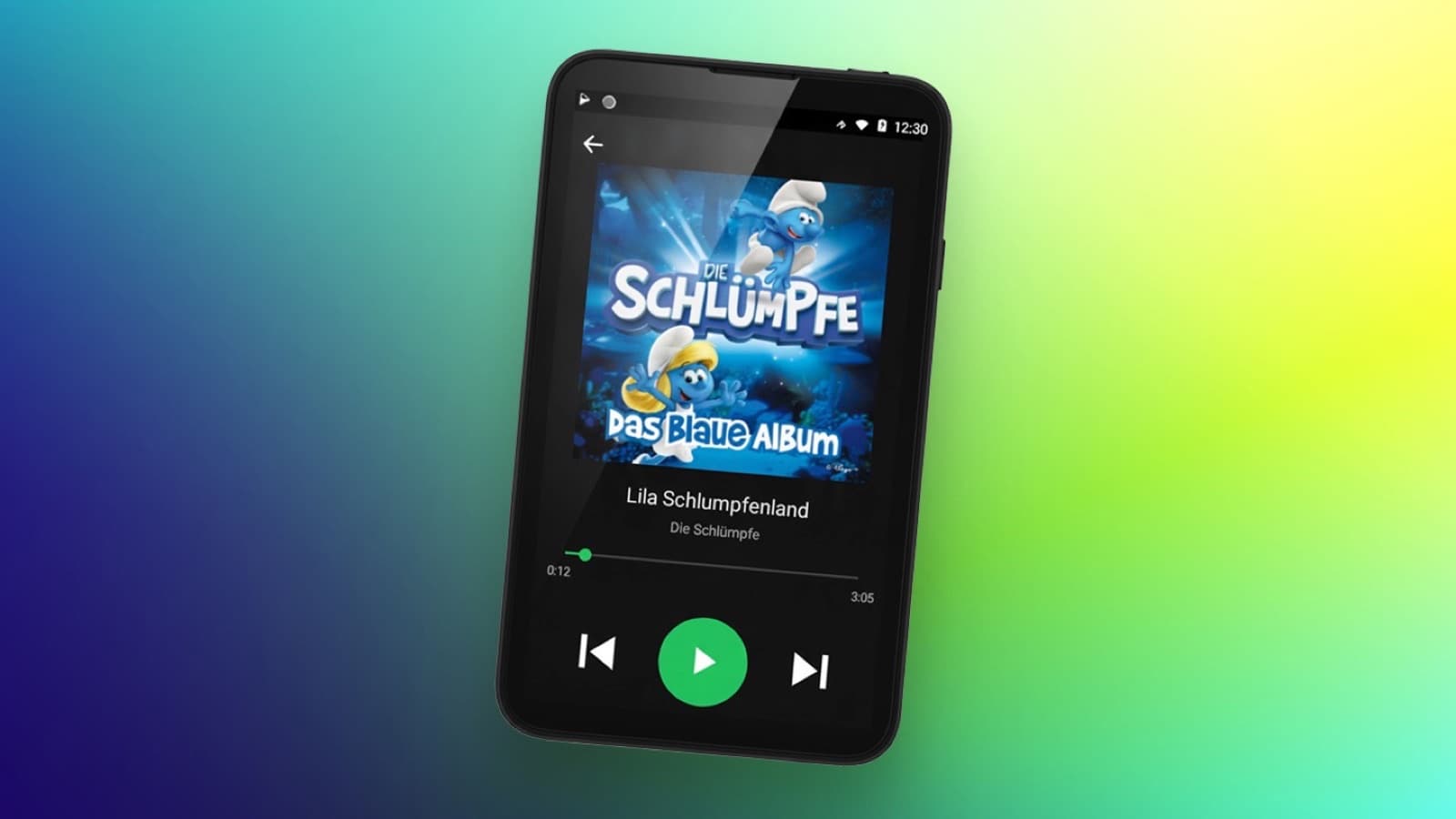
The first version looked the way I had pictured it: large album covers, very few controls, nothing distracting.
The problem was that I could not install it. The player runs Android, but the manufacturer had heavily restricted the system.
Eventually I found a workaround. One of the preinstalled apps could be replaced. I picked one my son would certainly never need and overwrote it with my music player.
The app ran. The problem still was not solved.
Installed is not the same as findable
I could replace the contents of the original app, but not its name or icon. Its old symbol stayed on the screen.
To me, that was cosmetic. To my son, it made the app almost unusable. He could not read and navigated entirely by images. When he wanted music, he looked for a music icon, not an unrelated app only I knew how to find.
So I changed the approach again.
The app became the whole player
I turned the Kids Music Player into the device's home screen.
Now it opens the moment the player starts. My son does not need to find anything, and he never sees Android menus, other apps or system settings. He sees large covers, titles and simple controls.
My wife and I can reach the parent area with a specific key combination.
That solved the real problem. My son did not need to learn how the player worked. The player needed to work in a way he understood.
The music files needed work too
Our MP3 files were named inconsistently. Sometimes the artist came first, sometimes the title. Some had numbers, extra text or incomplete metadata.
I built a workflow on my Mac to clean them up. One script reads the filenames and metadata, separates artist and title, and puts everything into a consistent format. It then finds the matching album cover and embeds it in the file. A second script transfers the finished songs and folders to the player.
The covers are not decoration. They are the navigation. My son recognises what he wants to hear by the image.
All preparation happens on my Mac. The player itself stays offline.
Why offline is exactly right
My son chooses which song plays. We choose which music reaches the device.
There is no streaming, advertising, recommendation feed or content that suddenly appears by itself. Switch on, pick a cover, hear the music.
What works today
- large, child-friendly controls from the moment the device starts
- only music we selected
- cleaned-up filenames and metadata
- album covers as visual navigation
- a protected parent area
- fully offline use with no ads or recommendations
Why it stays personal
The Kids Music Player is built for this exact device and my son's needs. There is no general installer, setup for other devices or streaming.
I do not consider those missing features. The app does the job I built it to do. Turning it into a public product would take a great deal of extra work and do nothing more for my son.
Built with
- Android
- Python
- Shell